


































Effective Ways to Maintain Servers: A Complete Guide by Empeller Systems
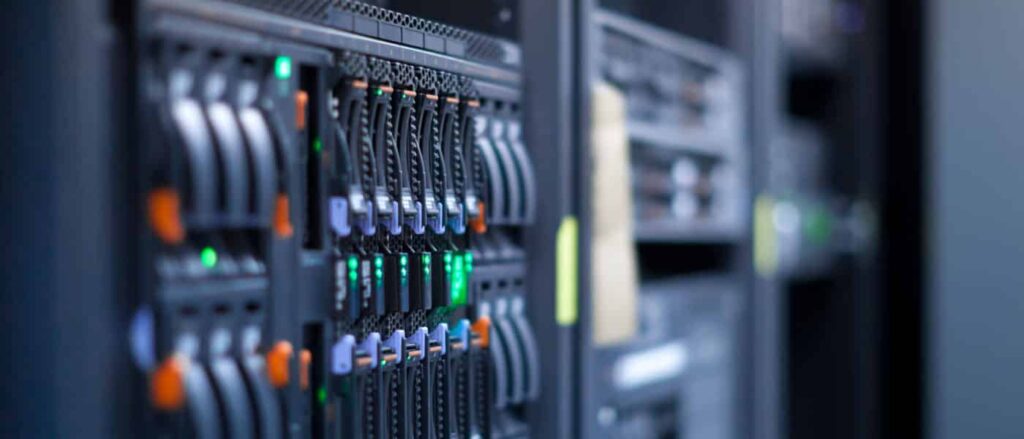
In today’s digital-first world, servers form the backbone of every organization’s IT infrastructure. Whether hosting critical applications, managing databases, or ensuring smooth communication, servers need to be running at peak performance. However, without regular maintenance, even the most powerful servers can suffer from performance degradation, data loss, or costly downtime – Effective Ways to Maintain Servers.
At Empeller Systems, we understand how crucial server health is for business continuity. In this blog, we’ll explore the effective ways to maintain servers, ensuring they deliver consistent, reliable performance and extended lifespan.
1. Regularly Monitor Server Performance – Effective Ways to Maintain Servers
Monitoring is the first and most essential step in server maintenance. Use performance monitoring tools to track CPU usage, memory consumption, disk activity, and network traffic.
Tips:
- Set performance thresholds and alerts.
- Analyze usage trends to prevent future bottlenecks.
- Use software like Zabbix, Nagios, or SolarWinds for real-time insights.
At Empeller Systems, we offer integrated monitoring solutions that provide 24/7 visibility into server health.
2. Keep Software and Firmware Up-to-Date
Outdated software and firmware can leave servers vulnerable to cyber threats and bugs.
Effective ways to maintain servers always include:
- Applying security patches as soon as they are released.
- Scheduling routine updates for operating systems and installed applications.
- Updating BIOS and firmware on hardware components.
We at Empeller Systems help automate and manage update cycles with minimal downtime.
3. Implement Robust Backup Strategies
Data loss can cripple business operations. A reliable backup strategy ensures quick recovery in case of failure or attack.
Recommended Practices:
- Use the 3-2-1 backup rule: 3 copies of data, 2 different media types, 1 off-site location.
- Schedule automatic backups during non-peak hours.
- Regularly test recovery procedures.
Empeller Systems offers cloud-integrated and on-premise backup solutions tailored to your infrastructure.
4. Clean Hardware and Manage the Environment
Dust, heat, and humidity are silent killers of server hardware. Maintaining a clean and climate-controlled server room extends hardware life.
Best Practices:
- Clean hardware regularly using anti-static tools.
- Maintain ambient temperature (18°C to 27°C) and 40–60% humidity.
- Use air filters and dehumidifiers if needed.
At Empeller Systems, we also offer server room setup and environmental maintenance services.
5. Conduct Routine Security Audits
Cybersecurity is an integral part of server maintenance. Regular audits help identify vulnerabilities before they become threats.
Key Actions:
- Run vulnerability scans and penetration tests.
- Review access logs for unauthorized activity.
- Change default passwords and update user roles frequently.
Empeller Systems provides end-to-end security audit services and advanced threat protection for businesses across the UAE.
6. Manage Disk Space Efficiently – Effective Ways to Maintain Servers
Running out of disk space can slow down or crash servers. Managing storage proactively keeps systems running smoothly.
How to Do It:
- Delete unnecessary files and logs periodically.
- Archive old data and store off-server.
- Use disk quota systems for user-level management.
Our server management packages at Empeller Systems include disk usage optimization tools to keep your storage lean and fast.
7. Test Power and Cooling Systems
Power disruptions and cooling failures are common causes of server downtime.
Recommendations:
- Use Uninterruptible Power Supplies (UPS) to protect against outages.
- Perform regular UPS battery health checks.
- Monitor HVAC systems and use redundant cooling if necessary.
We ensure that our clients’ power and cooling systems are always ready for emergencies, with proactive maintenance contracts available.
8. Maintain Documentation and Inventory
Documentation helps troubleshoot issues quickly and prevents mismanagement.
What to Document:
- Server configurations and installed software.
- Network diagrams and IP addresses.
- Warranty and maintenance records.
Empeller Systems provides custom IT documentation as part of our server maintenance support.
9. Schedule Periodic Server Reboots
Some updates and performance issues are resolved simply through system reboots.
Considerations:
- Schedule reboots during off-hours to avoid disruption.
- Inform users ahead of time.
- Automate reboot schedules when possible.
Our team helps schedule reboots as part of a comprehensive server maintenance plan.
10. Engage with a Trusted IT Partner
The most effective way to maintain servers is to work with experienced professionals who understand your unique infrastructure.
Why Choose Empeller Systems:
- 24/7 Support and Monitoring
- Certified Technicians
- Custom Maintenance Plans
- Affordable AMC (Annual Maintenance Contracts)
We handle everything—from diagnostics and updates to preventive maintenance—ensuring your servers remain robust and reliable.
Final Thoughts
Server maintenance is not a one-time task; it’s an ongoing commitment. By following these effective ways to maintain servers, you can prevent downtime, reduce operational costs, and ensure optimal performance of your IT infrastructure.
At Empeller Systems, we bring years of expertise in server installation, maintenance, and support for businesses across the UAE. Whether you’re using Dell, HPE, Lenovo, or custom-built servers, we’re here to keep your systems running flawlessly. Visit our Instagram page for more info.