
































Server Maintenance Tips from the Experts at Empeller Systems
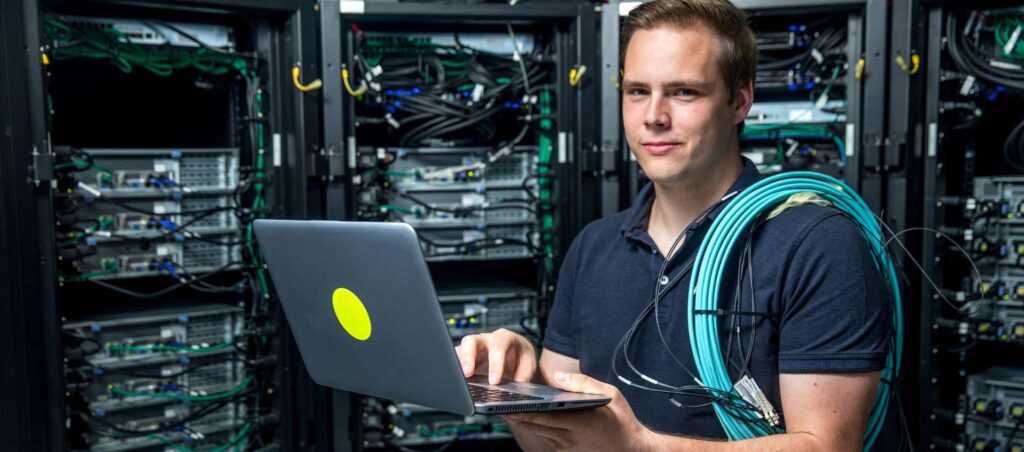
Keeping your server healthy is not just a technical task — it’s a business necessity. Whether you’re a growing startup or an established enterprise, your server is the backbone of your operations. Downtime, data loss, or performance issues can lead to major disruptions and unexpected costs. That’s why regular, proactive maintenance is critical – Server Maintenance Tips
At Empeller Systems, we help businesses across Dubai and the UAE ensure their servers run smoothly, securely, and efficiently. In this blog, our experts share practical Server Maintenance Tips that can help you optimize performance, prevent problems, and extend the life of your server infrastructure.
Why Server Maintenance Matters
Before diving into the tips, let’s understand why maintenance is so important. Servers manage your data, applications, and business communications. A well-maintained server ensures:
- Faster performance
- Better security
- Lower risk of hardware failure
- Reduced downtime
- Longer server lifespan
Ignoring server maintenance is like skipping oil changes on your car — eventually, it breaks down when you need it most.
Server Maintenance Tips from Empeller Systems Experts
Here’s a curated list of professional, field-tested Server Maintenance Tips that we apply and recommend to all our clients:
1. Regularly Monitor Server Performance
Why it matters:
Slow performance or unusual activity could be early signs of a problem. Monitoring tools give you real-time visibility into CPU usage, memory, disk space, and network traffic.
Tip:
Set up automated performance monitoring tools and review logs weekly. At Empeller Systems, we recommend tools like Nagios, PRTG, or built-in Windows/Linux server monitors for comprehensive tracking.
2. Keep Software and Firmware Updated
Why it matters:
Outdated software and firmware are prime targets for cyberattacks. Regular updates patch known vulnerabilities and improve system stability.
Tip:
Schedule monthly updates for the operating system, applications, and firmware (especially RAID controllers and BIOS). Always back up your system before applying updates.
3. Run Consistent Data Backups
Why it matters:
Disasters happen — whether it’s a hardware failure, ransomware attack, or accidental deletion. Without backups, your data could be lost forever.
Tip:
Implement a 3-2-1 backup strategy:
- 3 copies of your data
- 2 stored locally on different devices
- 1 stored offsite (preferably cloud-based)
Empeller Systems offers both on-premise and hybrid backup solutions customized to your business needs.
4. Check and Clean Hardware Components
Why it matters:
Dust and overheating can cause serious hardware damage. Physical maintenance extends the life of your server.
Tip:
Schedule quarterly hardware checks. Use compressed air to clean vents, fans, and internal components. Ensure the server room is well-ventilated, with temperature and humidity controls.
5. Monitor Disk Usage and Storage Health
Why it matters:
Running out of disk space can slow down applications or even crash your server. It also affects backup processes and system updates.
Tip:
Set disk usage thresholds and configure alerts. Periodically archive or delete unused files. Empeller Systems helps clients implement tiered storage systems to manage data more efficiently.
6. Test Your Disaster Recovery Plan
Why it matters:
A disaster recovery plan is useless if it hasn’t been tested. You need to ensure your team knows what to do and that backups can be restored quickly.
Tip:
Run simulated recovery tests twice a year. Verify backup integrity and time required for full restoration. Empeller Systems can help you build and test robust DR plans tailored to your industry.
7. Review User Access and Permissions
Why it matters:
Too many users with unrestricted access increases the risk of accidental or malicious damage.
Tip:
Perform quarterly access audits. Remove inactive accounts, enforce password policies, and use role-based access controls. Multi-factor authentication (MFA) should be enabled wherever possible.
8. Scan Regularly for Malware and Vulnerabilities
Why it matters:
Even the most secure servers can become compromised if not regularly scanned.
Tip:
Use enterprise-grade antivirus and vulnerability scanners. Automate weekly scans and generate reports. Patch any discovered vulnerabilities immediately.
9. Document Everything
Why it matters:
Clear documentation helps your IT team track changes, troubleshoot faster, and reduce human error.
Tip:
Maintain records of all updates, hardware changes, installed software, and network configurations. Empeller Systems provides clients with complete documentation after every installation and upgrade.
10. Partner with a Trusted IT Support Provider
Why it matters:
Many businesses don’t have the time or in-house expertise to manage servers effectively. Partnering with a reliable IT provider ensures round-the-clock protection and proactive maintenance.
Tip:
Empeller Systems offers managed server maintenance packages that include remote monitoring, security patching, and emergency support — so your business can stay focused while we handle the tech.
Bonus: Monthly Server Maintenance Checklist
Here’s a simple monthly checklist to help you stay on top of server maintenance:
- ✅ Review performance logs
- ✅ Check for OS, firmware, and software updates
- ✅ Inspect disk space and system health
- ✅ Verify backup success and test restores
- ✅ Clean dust and check cooling systems
- ✅ Review user access permissions
- ✅ Scan for malware and vulnerabilities
- ✅ Document all changes and updates
Final Thoughts
A well-maintained server isn’t just more reliable — it’s also more secure, efficient, and cost-effective in the long run. By following these expert Server Maintenance Tips, you can avoid unexpected breakdowns, secure your data, and maximize your server’s lifespan.
At Empeller Systems, we’ve built our reputation on helping businesses across Dubai and the UAE maintain robust and reliable server infrastructures. Whether you need one-time support or a fully managed service plan, our expert team is ready to assist. Visit our Instagram Page for more info.