
Dell Tower Servers in UAE
4 ProductsAll Dell Tower Servers
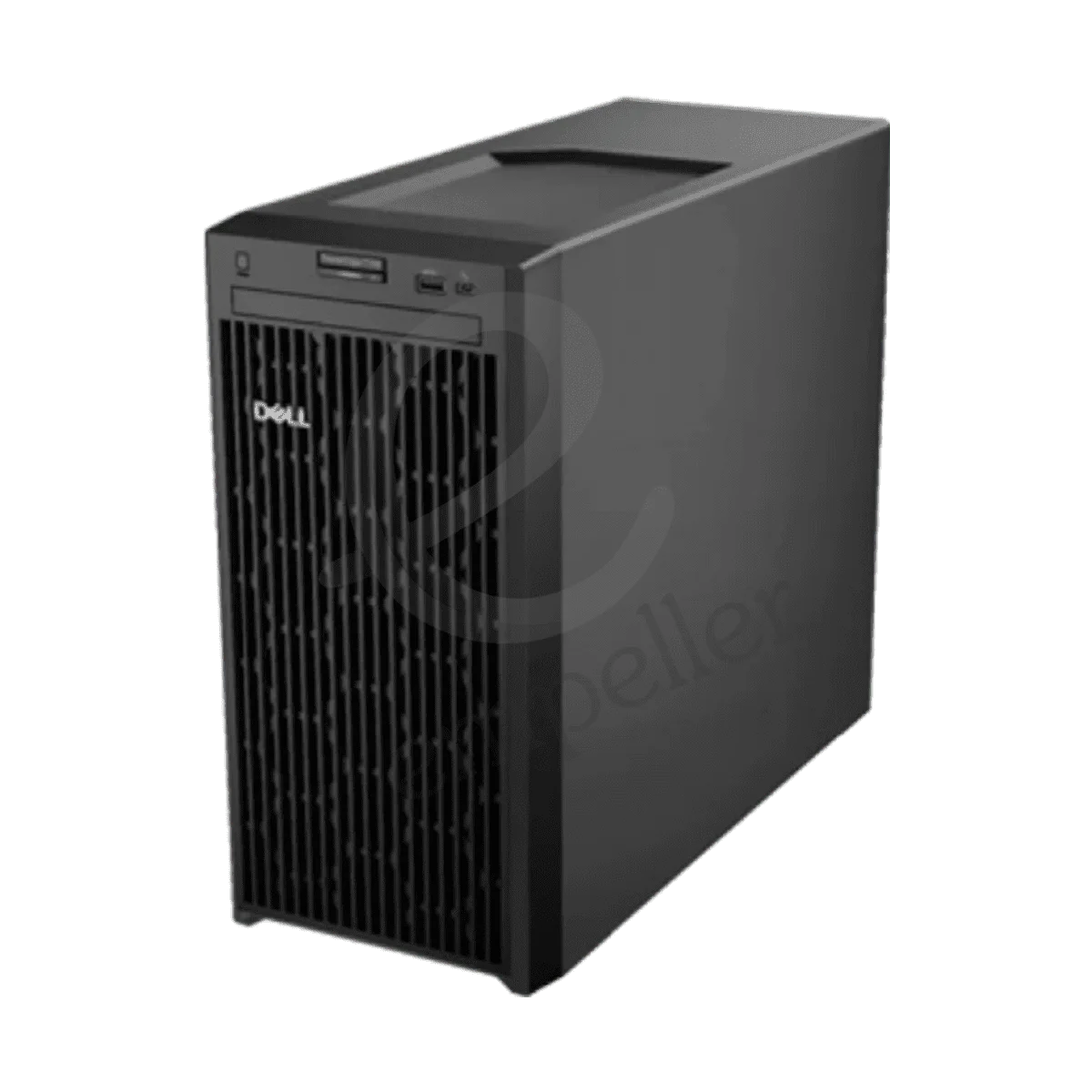
Dell PowerEdge T150 Tower Server
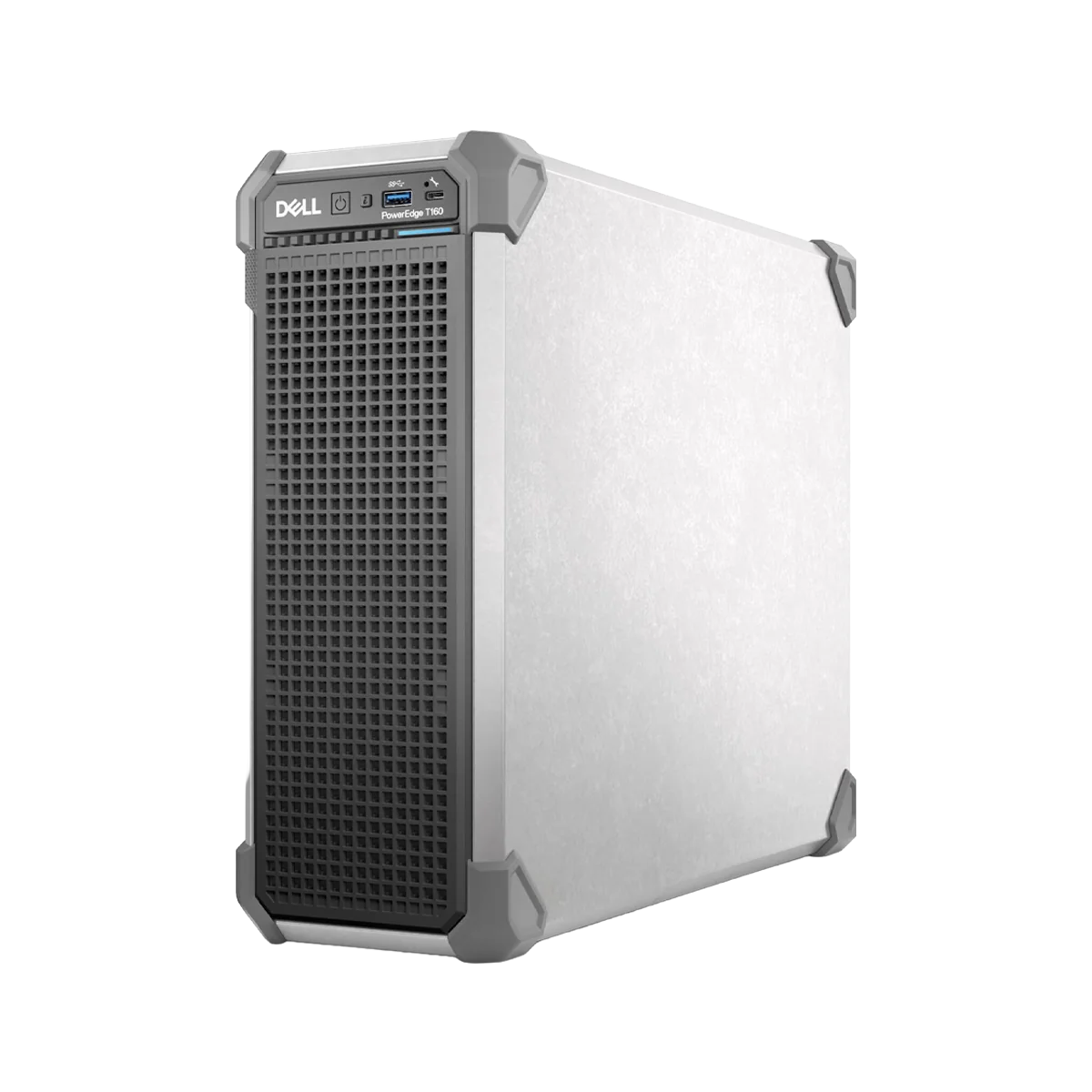
Dell PowerEdge T160 Tower Server
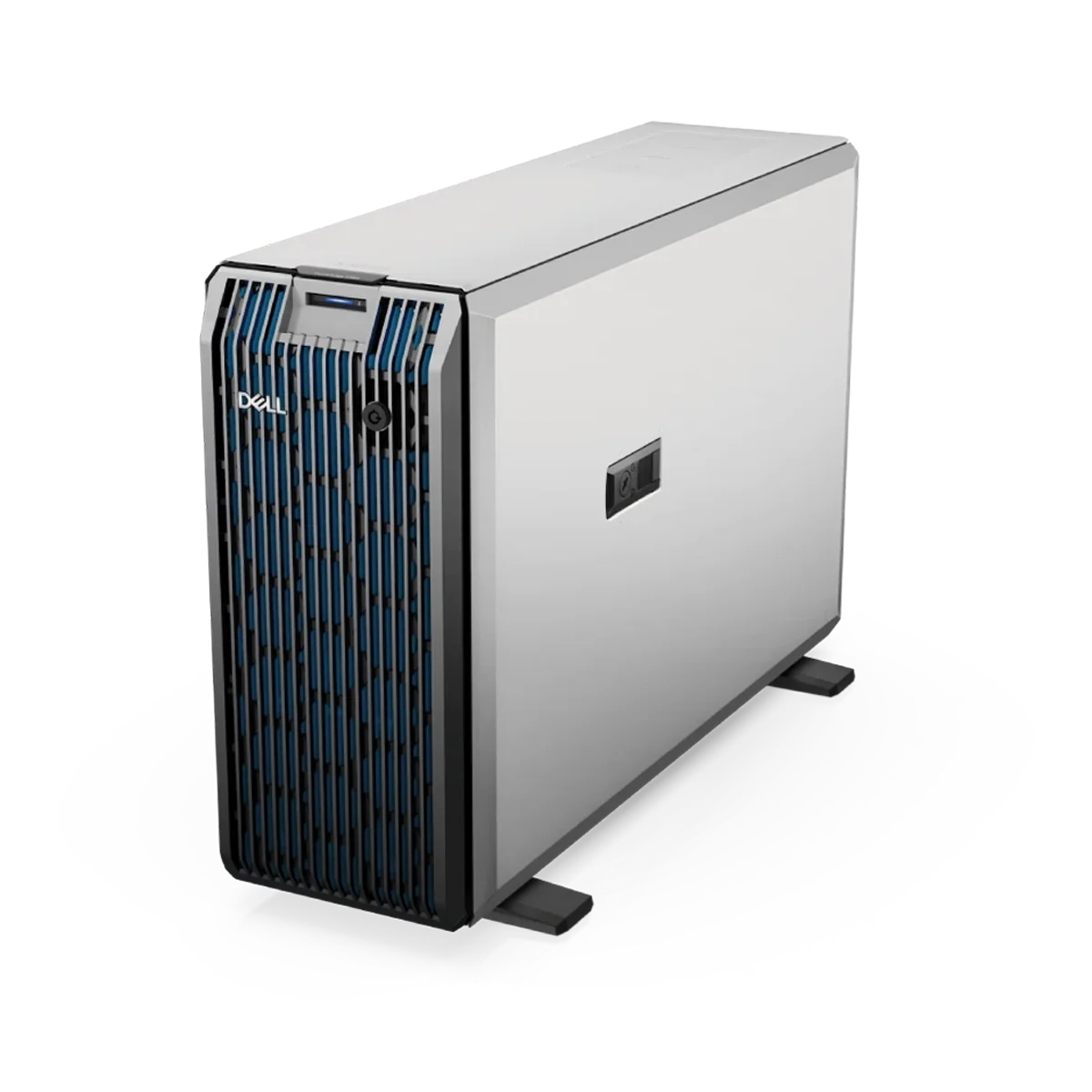
Dell PowerEdge T350 Tower Server
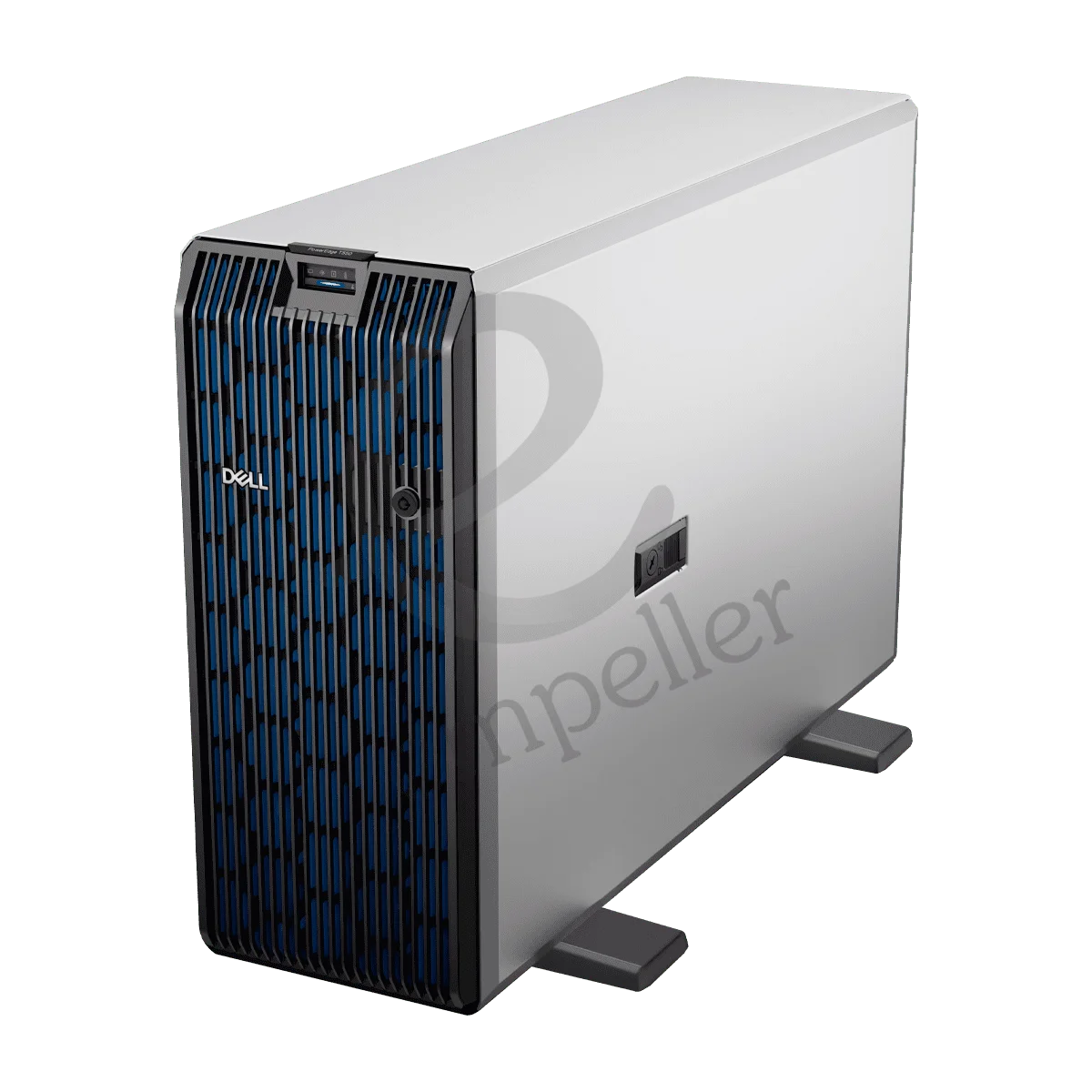
Dell PowerEdge T550 Tower Server
Buy Dell Tower Servers in UAE – PowerEdge Tower Servers for Businesses
Buy Dell tower servers in the UAE for small offices, growing businesses, branch locations and companies that need dedicated server hardware without building a large rack setup.
Empeller Systems offers Dell PowerEdge tower servers for different types of business workloads. You can choose a compact T160 for everyday applications and file storage, move to a T350 when you need more storage and expansion, or choose the much more powerful T550 for virtualisation, databases and heavier business workloads.
We also offer the PowerEdge T150 for businesses looking for an established entry-level Dell server platform.
The important thing is not to simply buy the server with the highest specifications.
Think about what applications you need to run, how many users will use the server, how much data you need to store and how much you expect the business to grow.
Why Choose a Dell PowerEdge Tower Server?
Easy to Install in an Office
One of the biggest advantages of a tower server is that you don't need a server rack just to get started.
A Dell PowerEdge tower server can be placed in an office, branch location or dedicated IT room much like a large desktop computer.
This makes tower servers useful for small and medium businesses that need proper server hardware but don't yet have rack-based infrastructure.
You still get business server features such as ECC memory, RAID options, remote management and hardware security without having to build a full data-centre setup.
Good for Everyday Business Workloads
Not every business needs a large rack server.
A Dell tower server can be used for many common workloads, including file sharing and storage, accounting software, ERP and CRM applications, point-of-sale systems, business databases, email and messaging, backup and recovery, web applications, small virtualisation environments and branch and remote-office workloads.
The right model depends on how demanding those applications are. A small office running file sharing and accounting software has very different requirements from a company running several virtual machines and a large database.
Manage Your Server Remotely with iDRAC
Dell PowerEdge tower servers include iDRAC, Dell's remote server management technology.
It allows your IT team to monitor and manage the server without always having to sit in front of it.
Administrators can check hardware health, view alerts, troubleshoot problems and perform many server-management tasks remotely.
Dell OpenManage provides additional tools for managing PowerEdge infrastructure.
This is useful even for a smaller business. Your server may be sitting in another room or branch office, while your IT team or support provider can still check what is happening remotely.
Security Built into the Server
Your server may hold company files, customer information, applications and other important data.
Dell PowerEdge servers include hardware and firmware security features such as Secure Boot, cryptographically signed firmware, Silicon Root of Trust and TPM support, depending on the model and configuration.
These features do not replace the other security your business needs, but they provide protection starting at the server hardware and firmware level.
Start Small and Expand When You Need To
You don't need to buy a large server just because your company may grow in the future.
You can start with a PowerEdge tower server that meets your current requirements while leaving some room for additional memory, storage and expansion.
This is where choosing between the T160, T350 and T550 becomes important.
The T160 is designed as a compact entry-level server. The T350 provides more storage flexibility while remaining a single-processor system. The T550 is a much larger platform with two-processor support, substantially more memory and much greater expansion for demanding workloads.
Dell PowerEdge Tower Servers Available in UAE
Empeller Systems currently offers four Dell PowerEdge tower servers.
Here is a simple way to understand where each one fits.
Dell PowerEdge T160
Small Business / Modern Entry-Level Server| Type | Tower server |
| Form factor | 3U tower |
| Processor | 1 × Intel Xeon 6300 or Xeon E-2400 series, depending on configuration |
| Memory | Up to 128 GB DDR5 ECC |
| Memory slots | 4 DIMM slots |
| Storage | Up to 63.36 TB depending on drive configuration |
| Expansion | PCIe Gen4 |
| Management | Dell iDRAC9 / OpenManage |
| Best for | File sharing, messaging, business applications, POS, data processing and branch-office workloads |
| Best for UAE | Small businesses wanting a newer-generation first server |
Why choose it: The T160 is probably the most natural starting point for many businesses buying a new Dell tower server today. It is a compact 3U system and uses newer DDR5 ECC memory. Depending on the configuration, it can support Intel Xeon E-2400 or newer Xeon 6300 series processors. It also supports different combinations of 3.5-inch and 2.5-inch storage, with maximum storage capacity reaching around 63 TB depending on the drive setup. For a small office running files, messaging, business applications or point-of-sale systems, the T160 gives you proper server hardware without moving into a much larger system.
Dell PowerEdge T150
Entry-Level / Established PowerEdge Platform| Type | Tower server |
| Form factor | 4U mini tower |
| Processor | 1 × Intel Xeon E-2300 series or supported Pentium processor |
| CPU cores | Up to 8 cores with Xeon E-2300 |
| Memory | Up to 128 GB DDR4 ECC |
| Memory slots | 4 DIMM slots |
| Storage | Up to 4 × 3.5-inch SAS/SATA drives |
| Expansion | PCIe Gen4 and Gen3 slots |
| Management | Dell iDRAC9 / OpenManage |
| Best for | File sharing, web serving, POS, backup and everyday business applications |
| Best for UAE | Small businesses that need a simple and proven entry-level server |
Why choose it: The T150 is another straightforward option for a small business that doesn't need a large server. It supports one Intel Xeon E-2300 processor, up to 128 GB of DDR4 ECC memory and four 3.5-inch SAS/SATA drives. The main thing to understand is that the T150 is an older platform than the T160. So if you're building a completely new server environment, it is worth comparing the T150 against the newer T160 before deciding. But the T150 can still make sense when its configuration, compatibility, availability or price better fits your requirements.
Dell PowerEdge T350
Growing Business / More Storage & Expansion| Type | Tower server |
| Form factor | 4.5U tower |
| Processor | 1 × Intel Xeon E-2300 series |
| CPU cores | Up to 8 cores |
| Memory | Up to 128 GB DDR4 ECC |
| Memory slots | 4 DIMM slots |
| Storage | Up to 8 × 3.5-inch SAS/SATA HDD/SSD |
| RAID | Multiple PERC RAID controller options |
| Management | Dell iDRAC9 / OpenManage |
| Best for | File services, databases, mail, backup, web hosting and business applications |
| Best for UAE | Growing businesses that need more storage and server features than an entry-level tower |
Why choose it: At first glance, the T350 may look similar to the T150 because both are single-socket Xeon E-2300 systems with up to 128 GB of DDR4 memory. The big difference is the chassis and expansion around it. The T350 can support up to eight 3.5-inch SAS/SATA drives, compared with four on the T150. It also has options for redundant hot-plug power supplies. That makes the T350 more interesting when storage capacity, drive flexibility and availability are more important to your business. For example, if you are running business applications while also keeping a larger amount of data locally, the extra drive capacity can be much more useful than simply looking for a faster processor.
Dell PowerEdge T550
Powerful Tower / Virtualisation & Heavy Business Workloads| Type | Tower server |
| Form factor | 5U tower |
| Processor | Up to 2 × 3rd Gen Intel Xeon Scalable processors |
| CPU cores | Up to 36 cores per processor depending on CPU |
| Memory | Up to 1 TB DDR4 ECC RDIMM |
| Memory slots | 16 DIMM slots |
| Storage | Up to 24 × 2.5-inch drives or other SAS/SATA/NVMe configurations |
| Expansion | PCIe Gen4 |
| Management | Dell iDRAC9 / OpenManage |
| Best for | Virtualisation, databases, analytics, enterprise applications and data-intensive workloads |
| Best for UAE | Businesses that need serious server capacity without moving to a rack platform |
Why choose it: The T550 is a big step up from the other Dell tower servers on this page. Instead of one entry-level Xeon processor and 128 GB maximum memory, the T550 can support two Intel Xeon Scalable processors and up to 1 TB of DDR4 memory. It also gives you considerably more storage and expansion options, including configurations with SAS, SATA and NVMe drives. This makes it a better choice when you need to run several virtual machines, larger databases, analytics or multiple important business applications from one server. So if your requirements are already beyond what a T160 or T350 can comfortably handle, the T550 gives you much more room to build around the workload.
Dell T150 vs T160 vs T350 vs T550 – Which One Should You Buy?
You don't need to compare every specification to narrow down your choice.
A simpler way to start is:
| PowerEdge T160 | Small office, file sharing, POS and basic applications |
| PowerEdge T150 | Entry-level server where an older platform fits your budget or existing setup |
| PowerEdge T350 | Growing business needing more local storage and redundancy options |
| PowerEdge T550 | Virtualisation, databases and much heavier workloads |
For most small businesses building a new environment, the T160 is a sensible place to start.
If you need more drive capacity and redundancy, look at the T350.
If your workload needs substantially more processors, memory and storage, the T550 is in a different performance class.
And if you're considering the T150, compare its exact configuration and price against the newer T160 before making the final decision.
What Should You Check Before Buying a Dell Tower Server?
Buying the correct model is only part of the job.
The configuration inside that server matters just as much.
Processor
Start with the applications you plan to run. File sharing and basic office applications may not need many CPU cores. Virtualisation, databases and heavier workloads can require considerably more processing power.
Memory
Check how much RAM your applications require now and how much you may need later. This becomes particularly important for virtualisation because every virtual machine needs its own memory.
The T150, T160 and T350 support up to 128 GB, while the T550 can go much higher.
Storage
Don't look only at total terabytes. Think about whether you need HDDs for larger, lower-cost storage or SSD/NVMe options for workloads where speed is more important. Also consider how quickly your company's data is growing.
RAID
RAID can help provide drive redundancy and protect against certain drive failures. The RAID level and controller you need will depend on the number of drives, required performance, usable capacity and importance of the data.
RAID is also not a replacement for backup, so important business data should still have a proper backup plan.
Redundant Power
If the server is running an important application, power-supply redundancy may be worth considering. For example, the T350 and T550 have redundant power-supply options depending on configuration.
If one PSU fails in a properly configured redundant setup, the other can keep the server powered while the failed unit is replaced.
Future Growth
Think about where your business may be in two or three years. How many more employees could be using the server? Will you add another application? How quickly is your data growing?
It can be better to leave some upgrade room now than to replace the entire server shortly after buying it.
Why Buy Dell Tower Servers from Empeller Systems?
Dell Tower Servers for Different Business Requirements
Empeller Systems currently offers Dell PowerEdge tower systems ranging from compact entry-level servers to the much larger T550.
This means we can help you choose according to your workload rather than simply selling the same server to every business.
Authorised Dell Dealer in UAE
Empeller Systems is an authorised Dell dealer and supplies genuine Dell PowerEdge server hardware.
When you're buying a server that may run important company applications and store business data, knowing where the hardware comes from and what support is available matters.
Dell Tower Servers in Dubai & Across the UAE
Empeller Systems supplies Dell tower servers in Dubai and across the UAE, including Abu Dhabi, Sharjah, Umm Al Quwain and other locations.
Our listed Dell tower servers are shipped from Dubai, and free UAE delivery is available.
Help Choosing the Right Configuration
If you don't work with servers every day, specifications such as PERC, ECC, DIMMs, SAS, SATA, NVMe and RAID can quickly become confusing.
You don't need to figure everything out alone.
Tell us what applications you need to run, approximately how many users you have, how much data you currently store, whether you plan to use virtual machines, how quickly you expect the business to grow, and your approximate budget.
Our team can then help you narrow down the Dell PowerEdge model and configuration that makes sense.
Talk to Our Dell Tower Server Experts.
Still deciding between the PowerEdge T150, T160, T350 and T550? Tell us what your business needs the server to do. We'll help you choose a Dell tower server and configuration based on your workload, storage requirements and budget.
Contact Empeller Systems for current Dell PowerEdge tower server availability, configuration advice and a tailored quote.
Frequently Asked Questions
Q1Which Dell tower server is best for a small business?
For many small businesses buying a new server, the PowerEdge T160 is a good place to start. It is a compact single-socket tower server with DDR5 ECC memory and is designed for SMB, remote-office and everyday business workloads. Your actual configuration should still depend on the applications, users and storage you need.
Q2What is the difference between Dell T150 and T160?
Both are entry-level PowerEdge tower servers, but the T160 is the newer platform. The T150 uses Intel Xeon E-2300 processors and DDR4 memory, while the T160 supports newer processor options and DDR5 ECC memory. If you’re buying for a completely new deployment, it is worth comparing the T160 first.
Q3What is the difference between Dell T160 and T350?
Both are single-processor tower servers with up to 128 GB of memory, but they belong to different generations and are designed somewhat differently. The T160 is a newer compact 3U platform with DDR5 memory. The T350 is a larger 4.5U system using DDR4 memory and can support up to eight 3.5-inch drives, making it useful when you need more local drive capacity and redundancy options.
Q4What is the difference between Dell T350 and T550?
The T350 is a single-socket server supporting one Intel Xeon E-2300 processor and up to 128 GB DDR4 memory. The T550 can support two Intel Xeon Scalable processors, up to 1 TB of memory and much larger storage configurations. For everyday SMB workloads, the T350 may be enough. For virtualisation, larger databases and more demanding applications, the T550 provides much more capacity.
Q5Can Dell tower servers run virtual machines?
Yes, but the right model depends on how many virtual machines you want to run and what those virtual machines will be doing. Small virtualisation workloads may fit on an appropriately configured entry or mid-range tower server. For heavier virtualisation, the T550 provides much greater CPU and memory capacity.
Q6What is Dell iDRAC?
iDRAC stands for Integrated Dell Remote Access Controller. It is Dell's server management technology and allows administrators to monitor and manage supported PowerEdge servers remotely. This can help IT teams check server health, troubleshoot issues and perform management tasks without always needing physical access to the server.
Q7How much RAM does a Dell tower server support?
It depends on the model. The PowerEdge T150, T160 and T350 support up to 128 GB of memory, while the more powerful T550 supports up to 1 TB. The amount you actually need depends on your applications and workload.
Q8Can I upgrade a Dell PowerEdge tower server later?
Yes, within the limits of the individual model and configuration. Depending on the server, you may be able to add memory, drives, network adapters, RAID controllers and other supported components. Check future expansion requirements before ordering so the initial server gives you enough room to grow.
Q9Can Empeller Systems help me configure a Dell tower server?
Yes. Tell us what applications you need to run, your number of users, storage requirements, virtualisation plans and budget. Our team can help you choose a suitable PowerEdge tower server and configuration instead of simply choosing by model number.